Fast RAW browsing
Staged decode (preview → edit quality → 100%), forward preloading of upcoming photos, near-zero idle CPU on large folders.
A fast, keyboard-driven RAW photo viewer and non-destructive editor for macOS. Browsing a full shoot feels like flipping JPEGs.
ScrollShowcase
Staged decode pipeline: instant preview, edit quality, then 100% — with forward preloading and near-zero idle CPU.
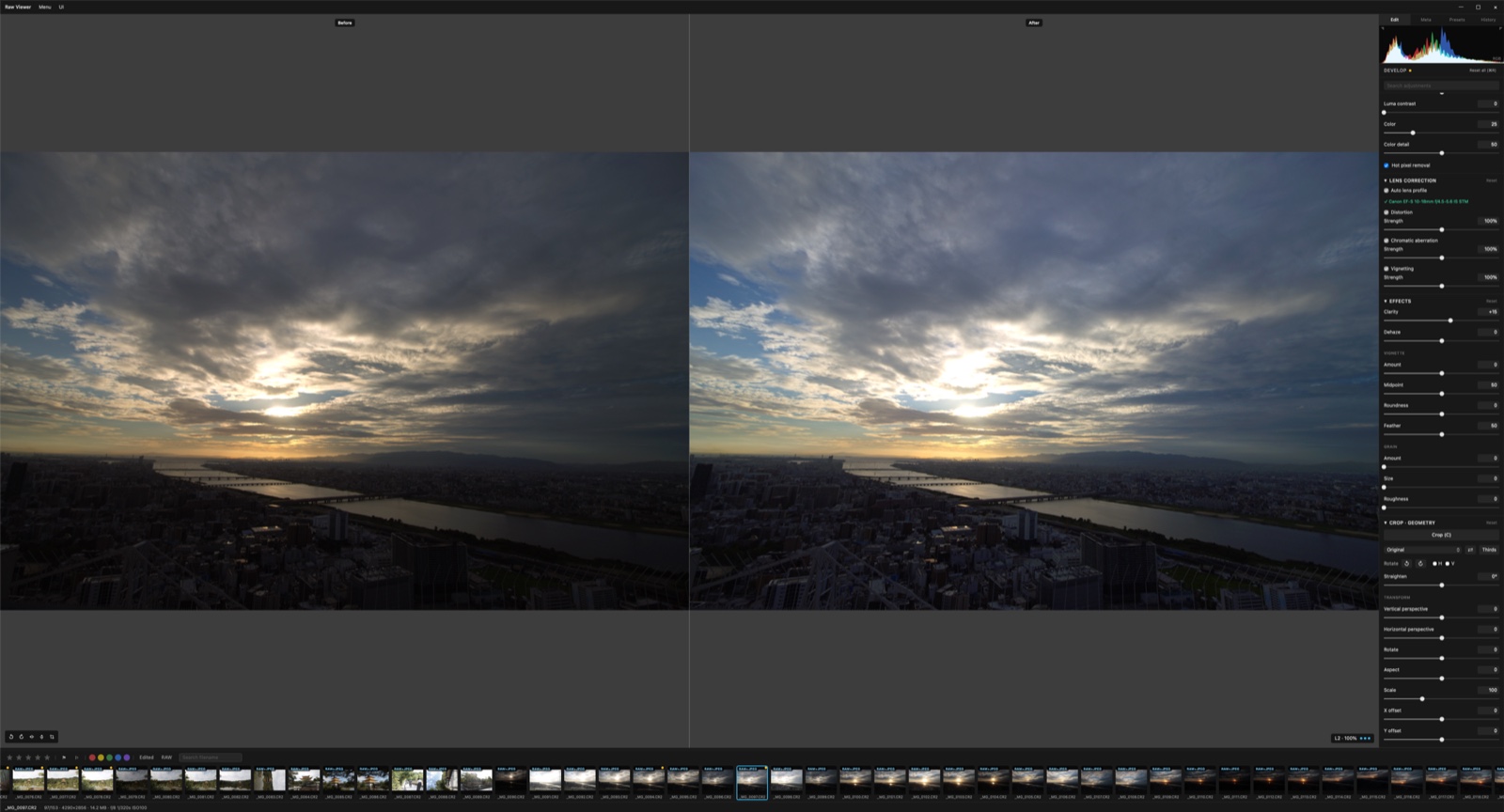
Features
Staged decode (preview → edit quality → 100%), forward preloading of upcoming photos, near-zero idle CPU on large folders.
White balance, tone curve, HSL, noise reduction, sharpening, lens correction, effects, crop — originals are never touched.
WebGL2 renderer with an experimental WebGPU backend, including compute-shader noise reduction.
Star ratings, pick/reject flags, color labels, filters, RAW+JPEG pairing, grid view and slideshow.
Batch JPEG/PNG/TIFF (8/16-bit) and DNG, edit presets, copy and paste settings between photos.
English, 한국어 and 日本語 — fully translated interface with remappable shortcuts.
Usage
Grab the latest release from GitHub — signed and notarized for Apple silicon.
Open the DMG and drop Raw Viewer into your Applications folder.
Drag a file or folder onto the window. Updates arrive through the built-in updater.
Get started
Free and open source under MIT. One DMG, no accounts, no telemetry.
CR2 · CR3 · ARW · NEF · NRW · RAF · ORF · RW2 · PEF · X3F · DNG
JPEG · PNG · TIFF · HEIC · AVIF · WEBP · BMP · GIF